

ResponsiveMax theme
ResponsiveMax fits a chart to the room it has, e.g. on a phone or in a small dashboard tile. Labels, legends and scrollbars adapt first. Parts are hidden only as the last step.
Use it in every chart, together with the Animated theme. It’s available since version 5.22.0.
Loading
Section titled “Loading”import am5themes_Animated from "@amcharts/amcharts5/themes/Animated";import am5themes_ResponsiveMax from "@amcharts/amcharts5/themes/ResponsiveMax";<script src="https://cdn.amcharts.com/lib/5/themes/Animated.js"></script><script src="https://cdn.amcharts.com/lib/5/themes/ResponsiveMax.js"></script>Applying
Section titled “Applying”root.setThemes([ am5themes_Animated.new(root), am5themes_ResponsiveMax.new(root)]);root.setThemes([ am5themes_Animated.new(root), am5themes_ResponsiveMax.new(root)]);Add color or dark themes after these two. See “Themes”.
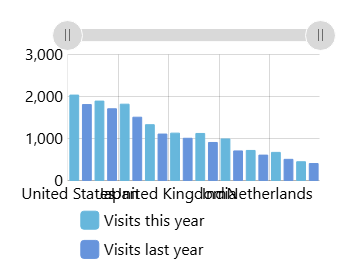
ResponsiveMax (340 × 280 px)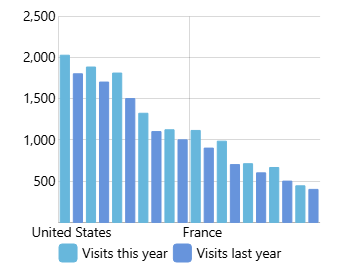
ResponsiveMax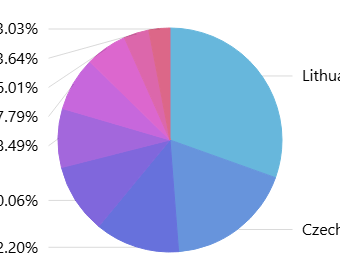
ResponsiveMax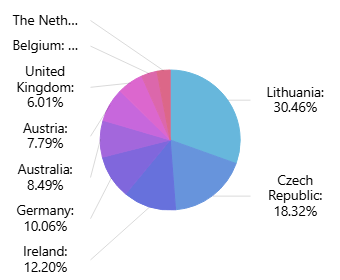
ResponsiveMaxWhat it does
Section titled “What it does”At every size
Section titled “At every size”The theme turns on these settings. They act on large charts too: a desktop chart usually gets more axis labels with the theme than without it.
| Element | Setting | Effect |
|---|---|---|
| Axes | autoLabels on renderers |
Labels are spaced by their size. A label that would be cut off, or overlap another axis’s labels, is hidden. |
| Pie series | autoLabels |
The pie moves aside or gets smaller. Labels wrap, are shortened or are hidden, smallest slices first. |
| Other series | autoLabels |
Bullet labels that would overlap or be cut off are hidden. Drawings on a stock chart are left alone. |
| Legends | autoFit |
Only when the legend doesn’t fit: it gets smaller, then scrolls, and long names are shortened. |
On small charts
Section titled “On small charts”| Chart size | Effect |
|---|---|
| Narrower than 600 px or lower than 450 px | Labels added in code with their own font size, e.g. a title, are drawn smaller, down to three quarters of their size. A label with its own scale is left alone. |
| 600 px wide or less | Minor labels on the X axis are hidden. On the Y axis: at 600 px tall or less. |
| 400 px wide or tall, or less | Text is drawn at 85% of its size. Axis labels, legend items and word cloud words get less padding. |
| 400 px wide or less | The vertical scrollbar is hidden (autoHide), and pinching zooms instead. Funnel, pyramid and pictorial labels move onto their slices. |
| 400 px wide or less | X axis labels keep in view (keepInView). Y axis labels: at 400 px tall or less. |
| 300 px tall or less | The horizontal scrollbar is hidden, and pinching zooms instead. |
| 300 px or less | Flow chart node labels are hidden: at 300 px wide for a horizontal flow chart, tall for a vertical one. |
| 200 px tall or less | X axis labels go inside the plot area. Y axis labels: at 200 px wide or less. |
| 200 px wide or tall, or less | Heat legends, hierarchy node labels, and funnel, pyramid and pictorial labels are hidden. |
| 200 px wide and tall, or less | A pie chart drops its labels and fills the room. |
| 100 px wide or tall, or less | Grid is hidden, and so are X axis labels at 100 px tall and Y axis labels at 100 px wide. |
A stock chart’s scrollbars go by the size of the whole stock chart, not the panel. Gantt charts:
- 600 px wide or less: the expand, collapse and color buttons are hidden. The row of day letters stays.
- 500 px wide or less: both scrollbars are hidden. At 400 px tall or less, the horizontal one too.
Turning parts off
Section titled “Turning parts off”Settings set in code win over the theme. To turn one part off, set it on that element:
xAxis.get("renderer").set("autoLabels", false);series.set("autoLabels", false);legend.set("autoFit", false);scrollbar.set("autoHide", 0);xAxis.get("renderer").set("autoLabels", false);series.set("autoLabels", false);legend.set("autoFit", false);scrollbar.set("autoHide", 0);The same settings work without the theme, to turn on just one part.
ResponsiveMax also takes rules of your own, the same way as the Responsive theme. See “Adding custom rules”.
Compared to Responsive
Section titled “Compared to Responsive”The older Responsive theme hides labels, legends and other parts at fixed sizes. ResponsiveMax fits them to the room first, and hides only what still doesn’t fit. It doesn’t include Responsive’s rules. Which to use: “Responsive charts”.